
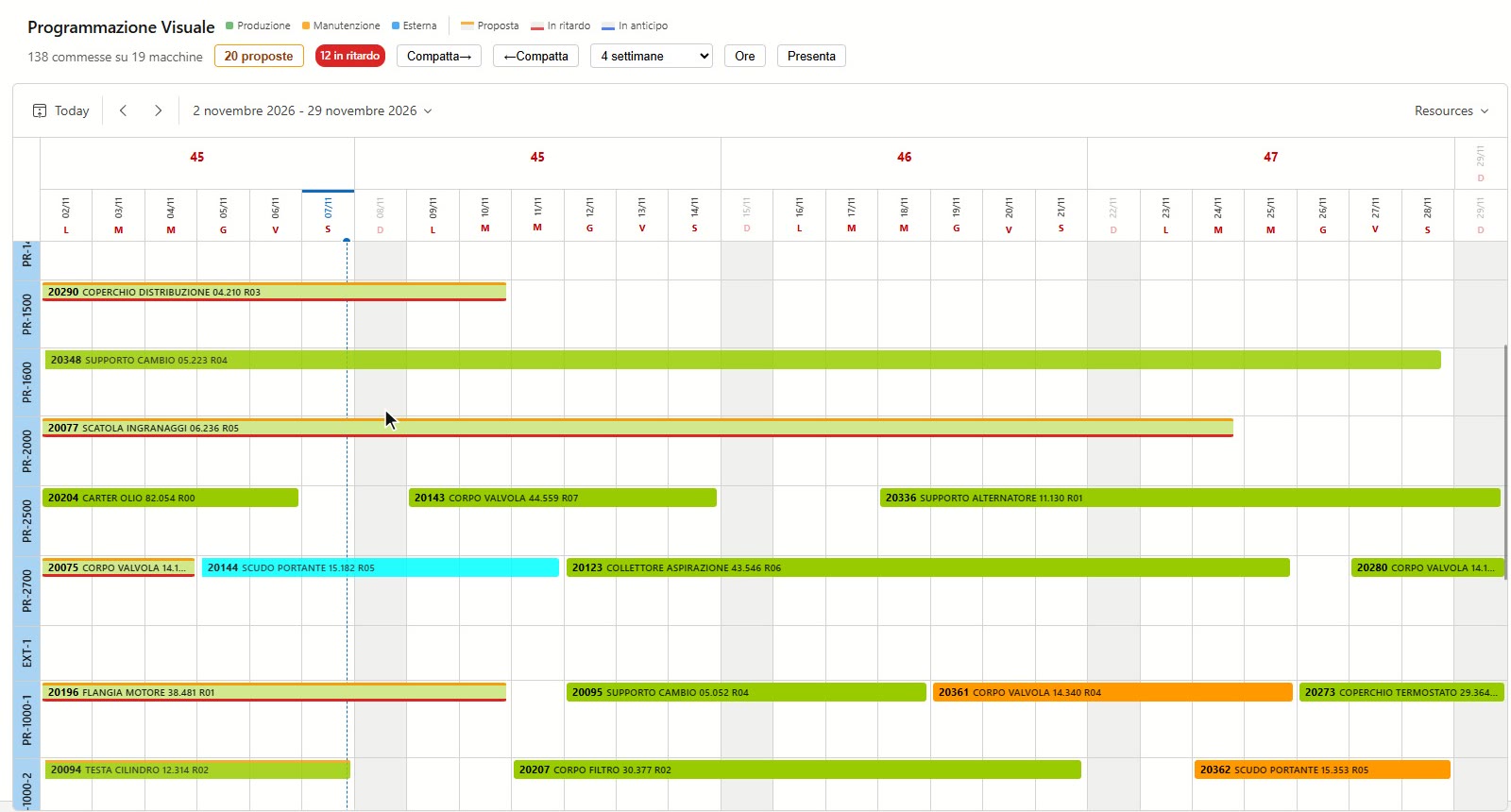
A Gantt chart that re-sequences
Drag or stretch an order and the ones that follow on the same machine shift along, respecting the calendar, shifts and closures. A mistake is undone with one click, hours included.
xPlanE · production scheduling
Orders come from the ERP and line up on the machines. You drag them on the Gantt chart, and the ones after them move by themselves. Actual progress comes from the MES: xPlanE tells you which orders will finish late and proposes the correction.
A web application on your company server: use it from the browser, in the office and on the shop floor.
Features
Which machine is free, when this order will finish, how much alloy is needed on Tuesday, what slips if that order is brought forward. xPlanE answers on the plan, not on a separate spreadsheet.
Drag or stretch an order and the ones that follow on the same machine shift along, respecting the calendar, shifts and closures. A mistake is undone with one click, hours included.
Choose a period and a machine, and xPlanE closes the gaps forwards or backwards without changing the order sequence.
From the quantity still to produce and the machine's real capacity, xPlanE flags the durations that do not add up and suggests the right one.
Parts produced come from the shop floor: the end date is projected at the real pace, and late or early orders go into the proposals queue.
How much alloy, of which type and on which day: reports by week, day by day or cumulative up to a date, with critical orders highlighted.
The shop-floor plan with machines, orders and notes by role, ready to print or send: what used to be written by hand.
Installation
xPlanE reads orders from the ERP and leaves the master data there: the plan is the only thing it governs. Internal orders and maintenance are added by hand, on the same Gantt chart.
Tell us how many machines you have and which ERP your orders come from: we will show you xPlanE on a video call and look at the connection together.
Please include your company name and the ERP you use.