
Data capture from the machines
A service on the line reads the data of the die-casting cells and keeps it locally until the server receives it: no event is lost.
MES Foundry · Manufacturing Execution System
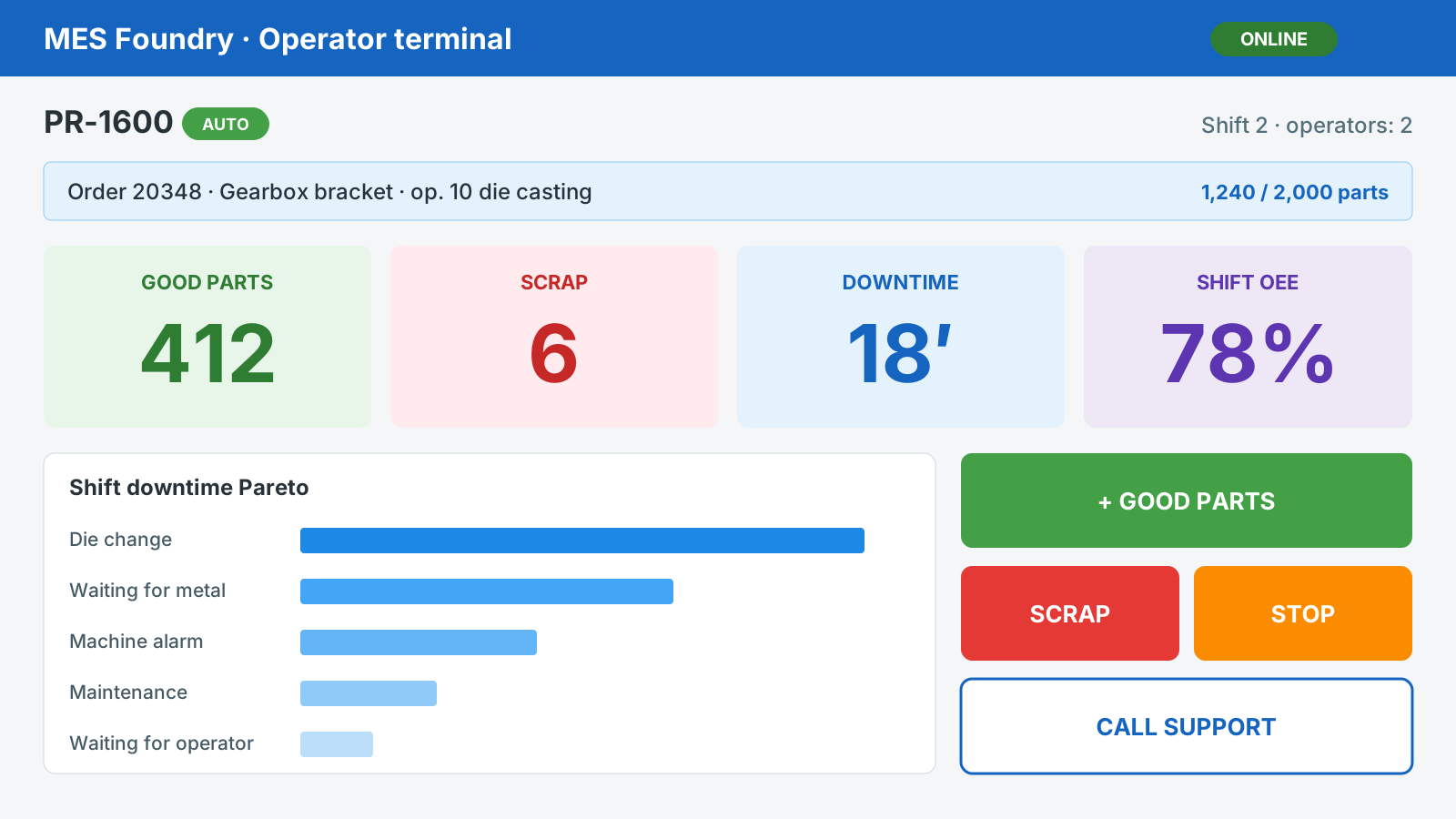
Data comes from the machines, not from end-of-shift paperwork. Operators confirm parts, scrap and downtime on the terminal at the machine, the shop floor calls for metal and support from the ANDON screen, and management sees a real OEE, shift by shift.
On premises, in real time, with no cloud lock-in.
Features
A service on the line reads the data of the die-casting cells and keeps it locally until the server receives it: no event is lost.
Badge login, with several operators on the same machine if needed. Taking charge of the order, good parts one by one or in batches, scrap and downtime with reason codes read from a barcode.
If the order set on the machine is not the one taken in charge, the terminal warns the operator and automatic counting stops until the two match.
Production status, metal calls to the holding furnace, support calls with response and resolution times by role, quality and order progress.
From opening to decision: use as is, rework, scrap, return or concession, with attachments and a quality dashboard.
The time balance by machine and shift. The shift supervisor corrects quantities and stops, every change is logged, and the shift is confirmed.
Availability, performance and quality calculated on the production day, with lack of work kept separate. Downtime Pareto, MTBF and MTTR by machine.
Alloy consumption is booked with every good part, the bill of materials is fixed when the order is released, and the melt lot stays linked to the order.
Production, OEE, downtime, scrap, alarms and shift handovers in PDF and Excel. Email alerts when a stop lasts too long, OEE drops or a machine goes offline.
Integration and IT
Orders, items, bills of materials and routings come from the ERP; production declarations go back, at the end of each shift if you like. With xPlanE, actual progress updates the machine schedule.
Tell us how many machines you have, which make, and which ERP you use: we will show you MES Foundry on a video call and look at the connection to the machines together.
Please include your company name, your machines and your ERP.